Sprint Complete5.170.0
Publisher Description
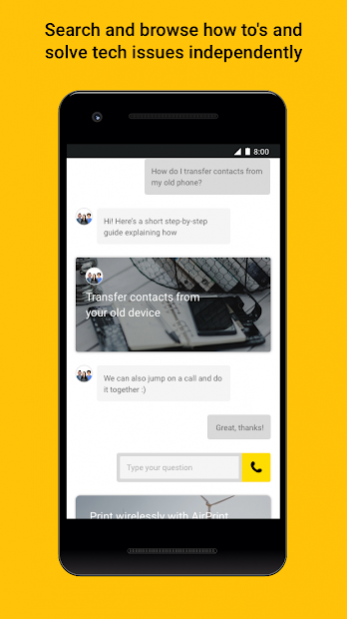
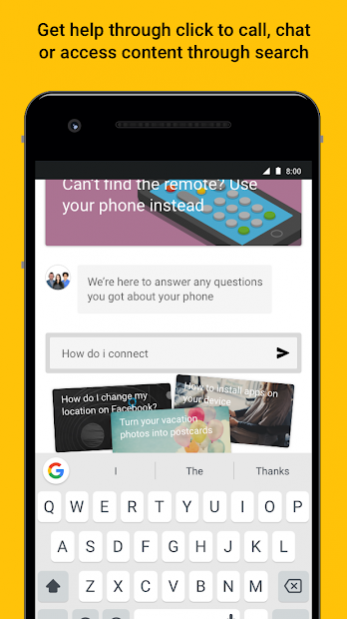


Tech Expert is now Sprint Complete!
Let a live Tech Expert set up your new device — even show you a cool new feature or two. Get unlimited help for your device from a U.S.-based Tech Expert. Receive device tips, shortcuts, and proactive alerts.
Use Sprint Complete to call or chat with live tech experts. Whether it's a tech emergency or you want to learn a thing or two about your phone, we're here to help!
Who’s Eligible?
The Sprint Complete app is available to all Sprint Complete customers.
Important Notes
Sprint Complete is powered by Asurion.
This app uses the Device Administrator permission. In order to provide remote support and screen sharing capabilities, some devices require
device administration access. This access will only occur with your permission, and will
be disabled when the remote session ends.
App usage analytics and device data are sent to our servers for analysis in order to provide the best service we can. Your device characteristics data and device ID might be also sent to third parties in case of an app crash, personal information will not be shared. Full information is available for you in the Privacy Policy that you can review before downloading the app.
About Sprint Complete
The company that develops Sprint Complete is Sprint. The latest version released by its developer is 5.170.0.
To install Sprint Complete on your Android device, just click the green Continue To App button above to start the installation process. The app is listed on our website since 2021-01-08 and was downloaded 16 times. We have already checked if the download link is safe, however for your own protection we recommend that you scan the downloaded app with your antivirus. Your antivirus may detect the Sprint Complete as malware as malware if the download link to com.asurion.home.sprint is broken.
How to install Sprint Complete on your Android device:
- Click on the Continue To App button on our website. This will redirect you to Google Play.
- Once the Sprint Complete is shown in the Google Play listing of your Android device, you can start its download and installation. Tap on the Install button located below the search bar and to the right of the app icon.
- A pop-up window with the permissions required by Sprint Complete will be shown. Click on Accept to continue the process.
- Sprint Complete will be downloaded onto your device, displaying a progress. Once the download completes, the installation will start and you'll get a notification after the installation is finished.
Program Details
System requirements
Download information
Pricing
Version History
version 5.170.0
posted on 2021-01-08
New T-mobile legal links
version 5.156.0
posted on 2020-06-16
Tech Expert is now Sprint Complete!
All the features you know and love, with a new slick design.
version 4.340.4
posted on 2018-02-22
Thanks for using Sprint Tech Expert! To make our app better for you, we bring updates to the Google Play regularly.
Every update of our app includes improvements for speed and reliability. As new features become available, we’ll let you know!
